
School management, for India
Run your school with a clearer view of it.
Admissions, attendance, fees, academics, transport, conduct and parent communication, in one place. Your staff do the day's work in it, and you see where the school stands without asking for a report.
Set up your organization yourself, then add your first school. Staff and parents are added by the school, so nobody signs up on their own.
For principals and trustees
The work already happens. Slate is where it gets recorded.
Most schools are not short of information. It sits in registers, spreadsheets and individual phones, so putting a simple question to the office takes a day to answer. When the daily work is entered once, in one place, the answer is already there.
Not five registers.
One record.
Not a monthly report.
Today's position.
Not a training course.
Learnable in a morning.
Visibility
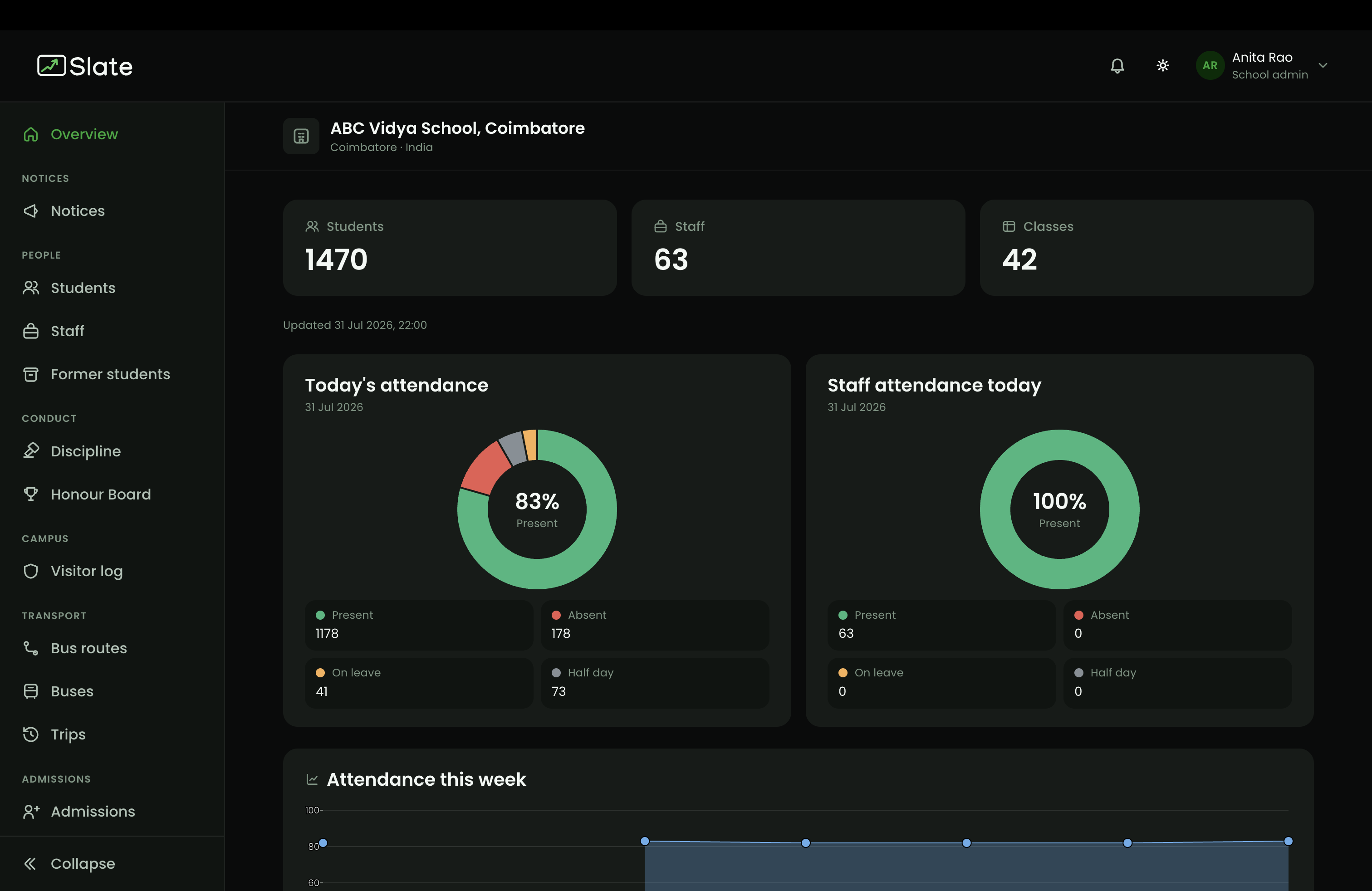
Open the school overview and the day is already summarised.
This is the first screen a school admin sees after signing in. Nobody prepares it and nobody is asked for it.
- Students, staff and class counts for the school, at the top of the screen
- Today's student and staff attendance, with present, absent, on leave and half day split out
- Attendance across the week, so a dropping trend is visible early
- The same overview for every school your organization runs
Who uses it
One Slate for the whole school, opened to each person differently.
Everyone signs in to the same Slate. What they can see and change follows their role at that school, and any extra duties given to them, so nobody has to be trusted with more than their job needs.
Management and trustees
Org and school admins see every school under the organization, with the full picture of students, staff, fees and attendance.
Office and accounts staff
Admissions clerks, accountants and front-desk staff work in fees, admissions, records and the visitor log, without touching academics.
Teachers
Class teachers and subject teachers get their own classes, attendance, diary, exams and leave, and nothing they are not meant to use.
Duty holders
Extra responsibilities are granted on top of a role. A discipline in-charge can log incidents for any class, not only the ones they teach.
Drivers and attendants
Assigned to a route, they run the trip from the mobile app: start and end, stop arrivals and who boarded.
Parents
Signed in with their phone number, a parent sees their own child and nobody else's.
On the phone
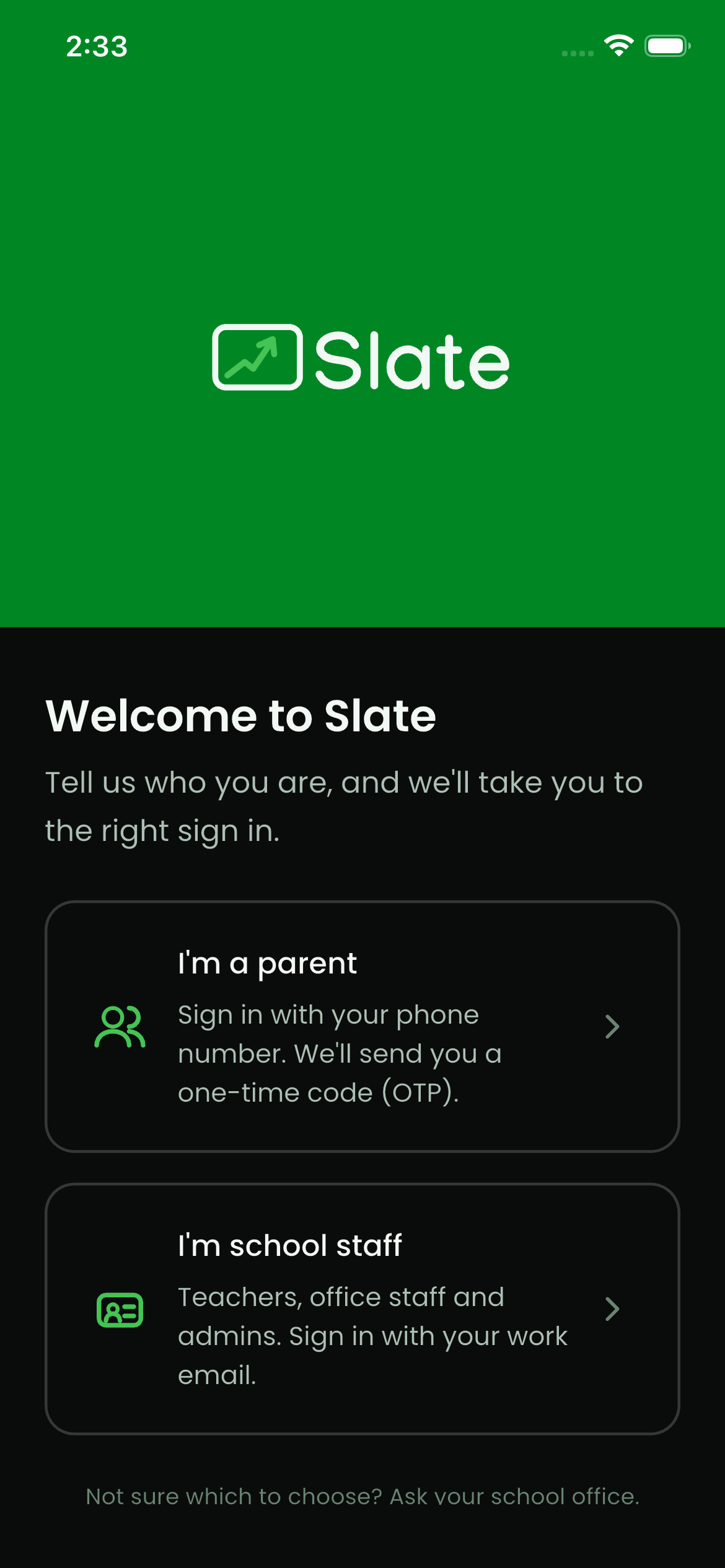
One app, three doors.
The same Slate app serves parents, staff and drivers. Each one is asked who they are at the start, and taken to the right sign in, so the school only ever explains one app.
Parents
Sign in with a mobile number and a one-time code. No password to remember. They see their own child's attendance, fees, diary and notices.
Teachers and office staff
Sign in with a work email. Punching in is done from the phone on campus, because it checks you are inside the school grounds.
Drivers and attendants
Run the trip from the phone: start and end the run, mark each stop as reached, and record who boarded.


What a staff member sees
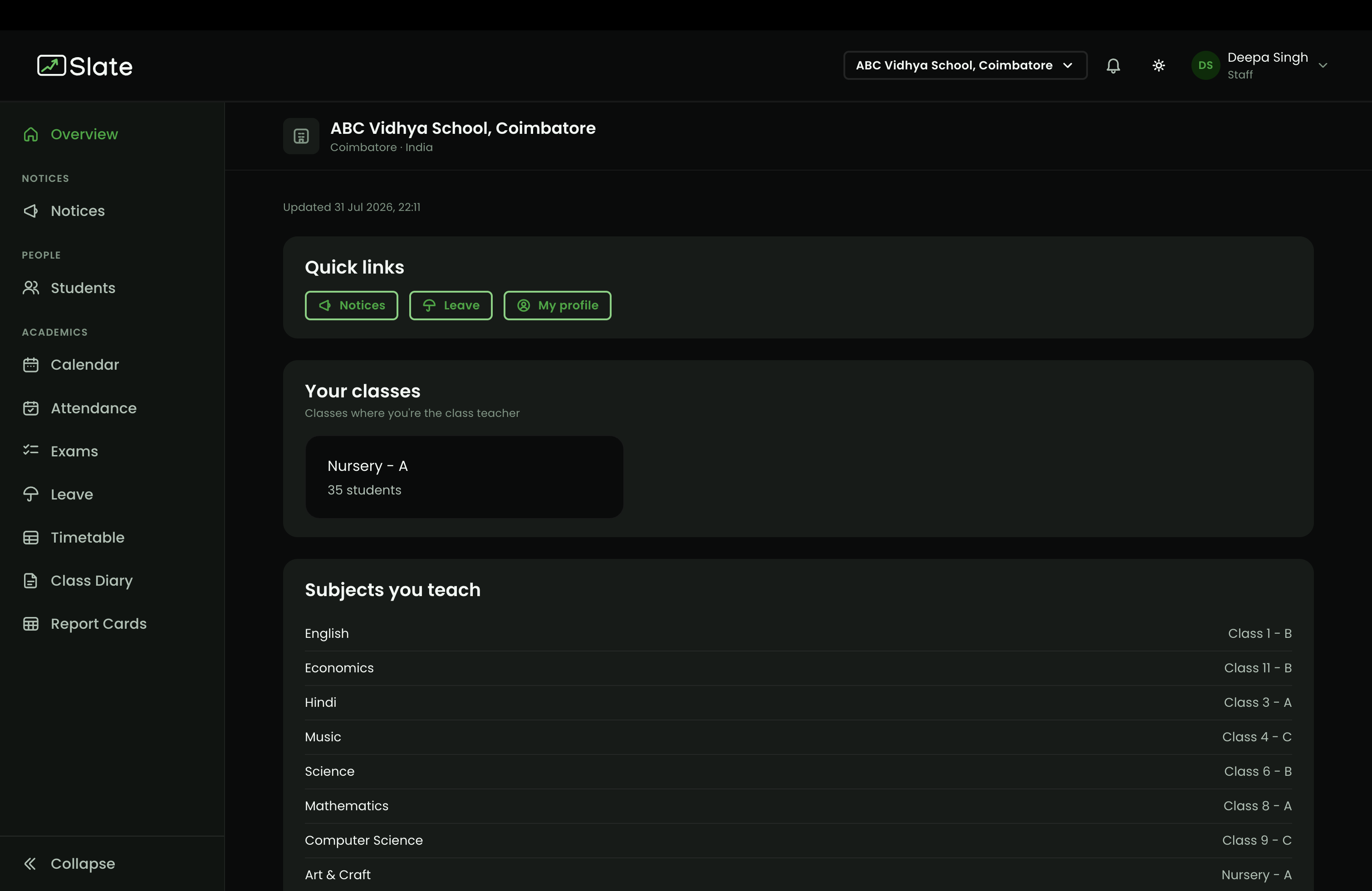
Their own work, and nothing else.
This is a class teacher's first screen: the classes they are responsible for, the subjects they teach, and quick links to what they use daily. An accountant signing in to the same Slate gets a different screen. There is no menu of features they are not meant to touch, which is what makes it learnable in a morning.
What it covers
35 modules, built for how a school actually runs.
Every module below is built and running today, not a plan for later. Which of them your school gets depends on the plan you choose, and you can move up whenever you need more.
People and admissions
5 modulesAdmissions
Publish an application form, collect enquiries online, and admit an applicant straight into a class.
Students
One profile per child: admission details, class, guardians, address, health notes and documents.
Staff
Employment records, roles and departments, with your own catalog of designations.
Former students
Students who leave or graduate keep their history, and can be re-admitted later.
Promote and graduate
Move a whole class up at year end, with a review step before anything is applied.
Academics
7 modulesClasses and sections
Set up your class structure once, with a guided wizard for Indian grade names.
Subjects
School subject catalog, then per-class subject lists and the teacher for each.
Timetable
Period sets, day builder and grade assignment, including cycle weeks.
Exams and datesheets
Exam terms, per-class datesheets with dates, times and maximum marks.
Progress cards
Marks entry and printable progress cards for the term.
Class diary
Homework and classwork posted per class and subject, with images and links.
Calendar
Holidays and vacations for the school year, visible to staff and parents.
Attendance and leave
5 modulesStudent attendance
Mark class by class, with absent, on leave and half day handled separately.
Staff attendance
A separate register for staff, with the same day view for management.
Attendance zones
Draw the campus on a map so staff can only punch in when they are on it.
Leave
Leave types, staff requests and approvals, with balances kept per person.
Attendance reports
Download a class or single-student report as PDF or Excel for any period.
Fees and finance
6 modulesFee heads
Define each fee, with optional late fee rules and tax handling.
Fee plans
Class-wise plans split into instalments across the academic year.
Concessions
Discount templates applied per student, with the reason recorded.
Collection
Record cash, cheque and transfer payments, or share an online payment link.
Receipts
Numbered receipts in your own format, printable and downloadable as PDF.
Collection reports
Export payments received for any date range as Excel.
Communication
3 modulesNotices
Send to the whole school, a class, a department, a role, or named people.
Attachments
Add images to a notice or diary entry, so nothing needs a separate message.
Push notifications
Notices reach parents and staff on the mobile app, not just in the browser.
Transport
4 modulesBuses
Your vehicle list with number plates and seat counts.
Routes and stops
Ordered stops placed on a map, each with its own arrival radius.
Riders
Which student boards at which stop, moved between routes in one step.
Trips
A record of each run, with stop arrival times and the boarding list.
Campus and conduct
5 modulesSecure pickup
Release a child only to an approved person. Parents show a code at the gate, and the school can issue one for an early pickup.
Visitor log
Check visitors in at the gate with purpose, host and an optional photo.
Discipline
Log incidents against your own list of violation types, with what the school did.
Honour board
Award points for good work and keep a season leaderboard.
Certificates and ID cards
Print student and staff ID cards and bonafide certificates, singly or by class.
Before you commit
The questions a trustee asks before a school moves.
People see only their own work
Access follows the person's role and duties at that school, not a shared login. Two people can open the same Slate and be shown completely different screens.
Built for more than one school
Your organization is the trust, society or company on top. Each school under it keeps its own students, staff, fees and records, and one person can hold roles at several schools.
Records that stay put
Students who leave or graduate move to former students with their history intact, and can be re-admitted later. Nothing is quietly deleted.
Your school's own formats
Receipt numbering, ID card and certificate designs, class names and subject lists are all set to how your school already works.
Why it is called Slate
Every school runs on a slate. Start yours clean.
The registers, the reminders and the notes to self do not disappear. They move onto one board that the whole school can read.

Create your organization, add your first school, and put one class on Slate before you move the rest. You do not have to shift the whole school on day one.